By Santosh Poudel · Published
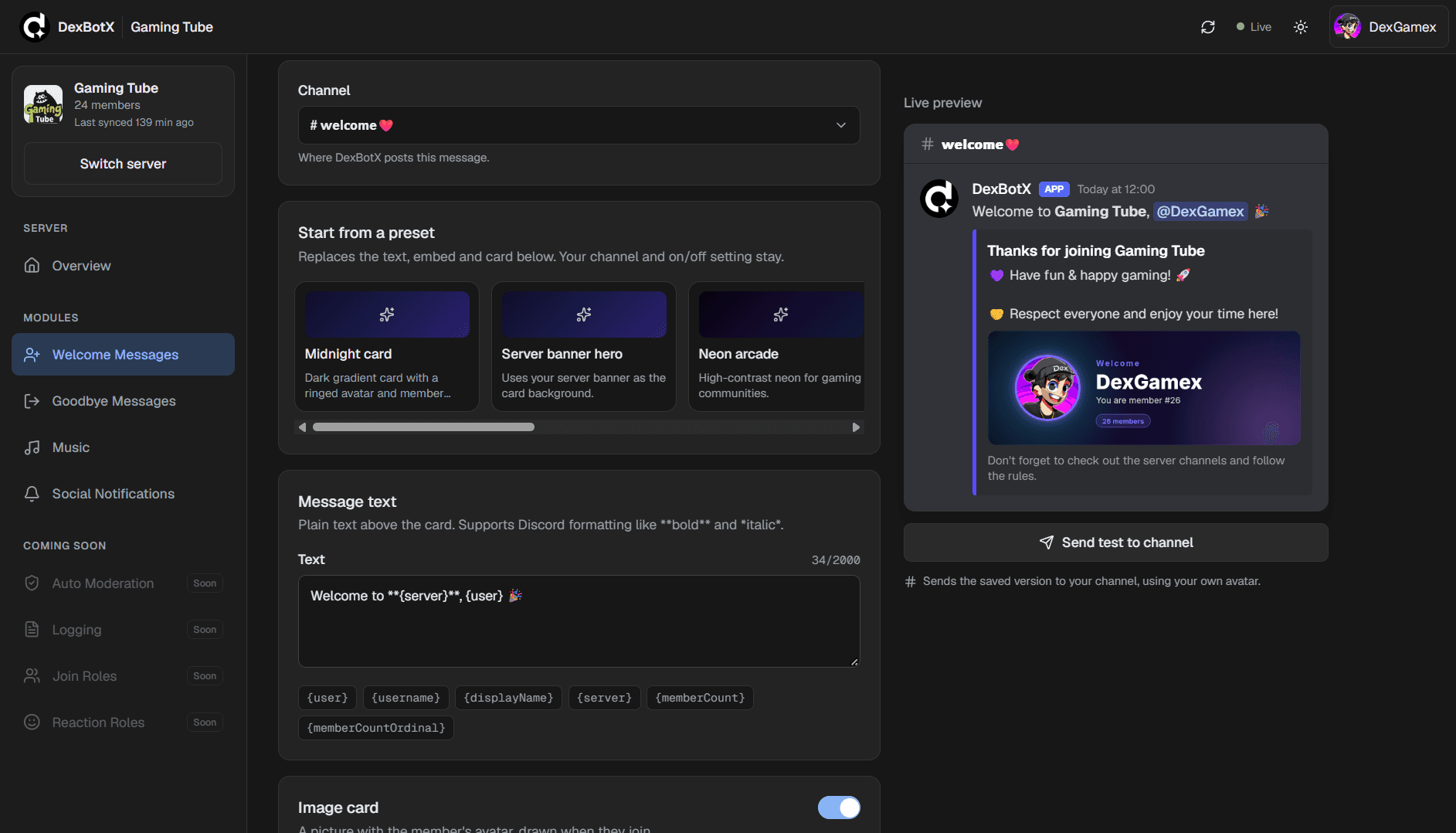
DexBotX is a Discord bot project built around a practical idea: community teams should be able to handle common server tasks without juggling a separate tool for every job. It brings moderation, welcome flows, role automation, AI chat and creator notifications together with an admin dashboard.
Start with the work community admins repeat
Running a Discord community involves a steady stream of small tasks. Administrators welcome new people, keep conversations healthy, assign roles and help members find the right information. When those jobs are handled through separate tools or repeated manually, routine maintenance can take attention away from the community itself.
DexBotX brings several of these workflows into one bot. The aim is not to automate every decision, but to make recurring tasks easier to manage while leaving community rules and important moderation choices in the hands of the people responsible for the server.
Moderation and onboarding
Moderation tools and anti-spam support help administrators respond to unwanted activity. Welcome flows give new members a more consistent introduction, while role automation can reduce repetitive setup for people joining or participating in a server.
These features work best when they support clear community rules. Automation can handle predictable cases, but admins still need visibility and control when context matters. A bot should help a team maintain its space, not make every community decision on its behalf.
Keep the community connected to creator updates
DexBotX includes notifications for YouTube and Kick activity. That gives a server a way to surface updates from creators its members care about without requiring everyone to monitor each platform separately.
Notifications are most useful when they are relevant and configured for the community. The broader product goal is to bring these updates into the space where members already talk, while keeping them distinct from moderation and member-management tools.
AI chat as one feature, not the whole product
AI chat is part of DexBotX, but the project is not just a chatbot. It combines that interaction with server administration features such as moderation, onboarding and role automation, plus social notifications.
Keeping AI chat alongside these workflows makes it one optional capability within a wider community tool. As with any AI feature, responses should be treated as generated assistance rather than guaranteed facts, and server owners should decide how it fits their community.
A dashboard for the people running the server
The admin web dashboard gives server owners a place to manage the bot beyond the Discord conversation itself. A dedicated configuration surface can make settings easier to find and helps separate administration from the messages members see every day.
This division reflects a simple product principle: member-facing interactions and administrative controls serve different audiences. The bot handles community workflows in Discord, while the dashboard supports the people configuring those workflows.
What I learned from bringing the pieces together
A multi-purpose bot needs a clear structure so each capability remains understandable. Moderation, onboarding, notifications and AI chat solve different problems; grouping them under one product is useful only when people can still find the right tool and understand what it does.
DexBotX is an ongoing product project, and its feature set can evolve. You can visit the project site to see its current state, or read more about my other work on the projects page.